Back office
The systembehind the website.
A website brings the work in. A back office runs it. Staff sign-in and sign-out, bookings, customer logins, records: whatever your business runs on, I build it around how you work.
For any business
Not just for builders.Built around yours.
Brickly Ops is one example. Sign-in and sign-out systems, bookings, customer accounts, job sheets: if your business needs it, I can build it.
A back office for salons and barbers
- Online bookings and deposits
- Client records and notes
- Staff rota and holidays
- Staff sign in and sign out
A back office for trades and builders
- Crew sign in and sign out on site
- Job sheets with photos
- Quotes and invoices
- Certificates and checks
A back office for shops
- Stock and orders
- Click and collect
- Staff hours and sign-in
- Sales at a glance
A back office for cafés and restaurants
- Staff clock in and clock out
- Rotas and holiday requests
- Table bookings
- Supplier orders
A back office for offices and services
- Client logins and documents
- Appointments
- Holiday and sickness requests
- Staff sign in and sign out
Whatever yours runs on
If it lives on paper, in a spreadsheet or in a group chat now, it can live in one place. Tell me how your business works and the system is shaped around it.
Tell me what you needTry it · staff sign-in
--:--Just a taster. Nothing you tap here is saved.
One I built · Brickly Ops
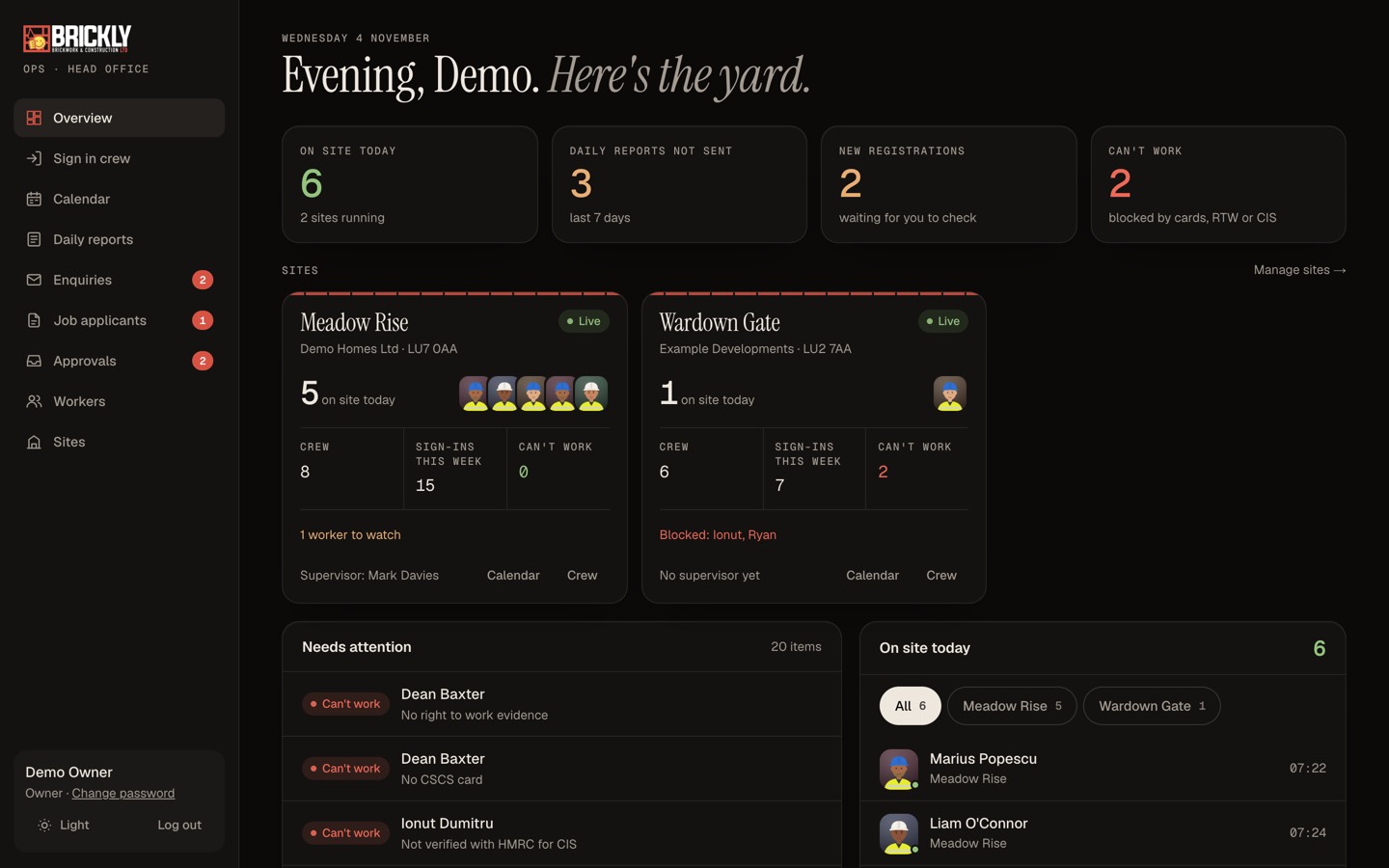
The tour
Owner overview
Who is on site today, which daily reports are missing, new registrations waiting and anyone who can't work yet, on one screen.
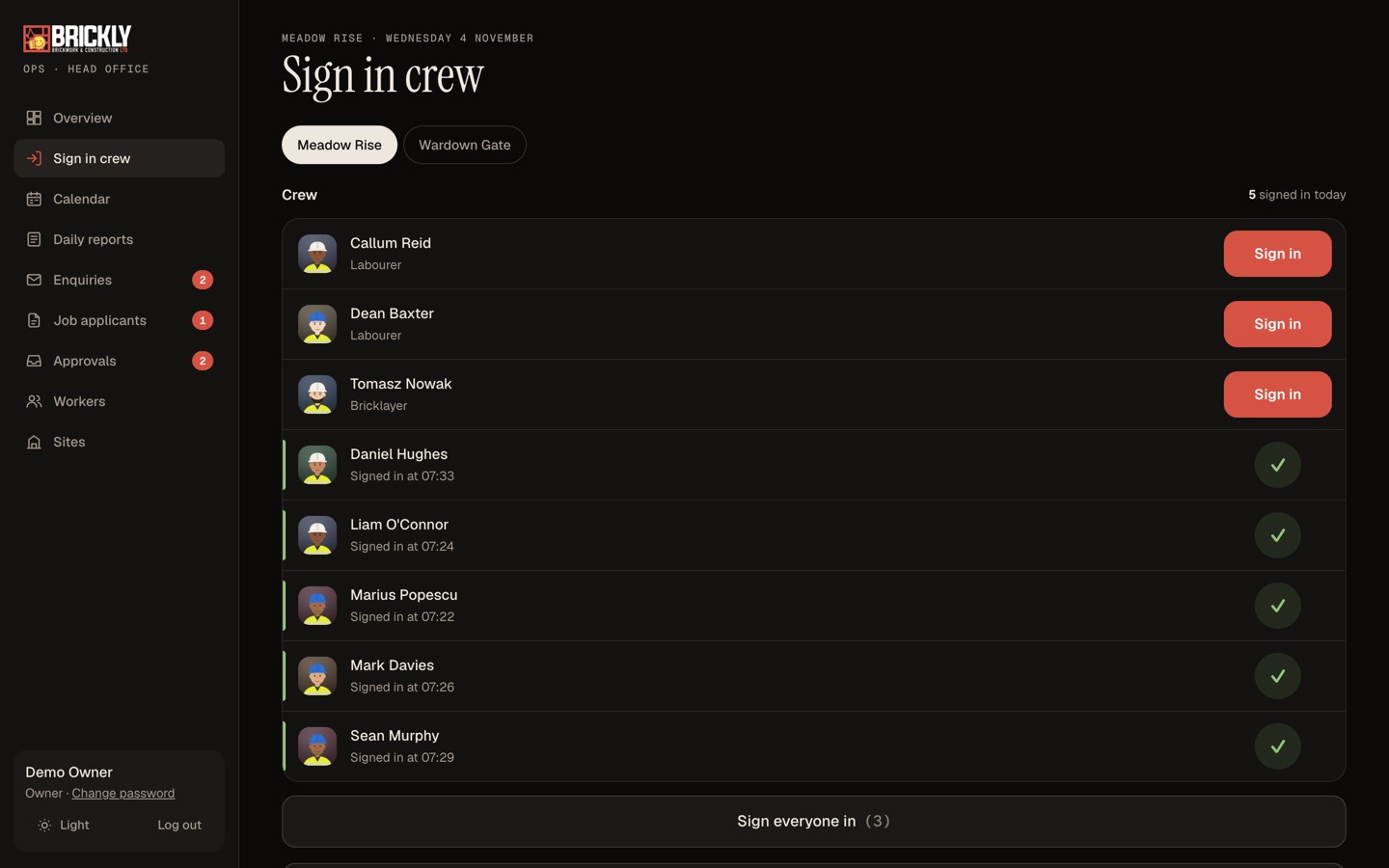
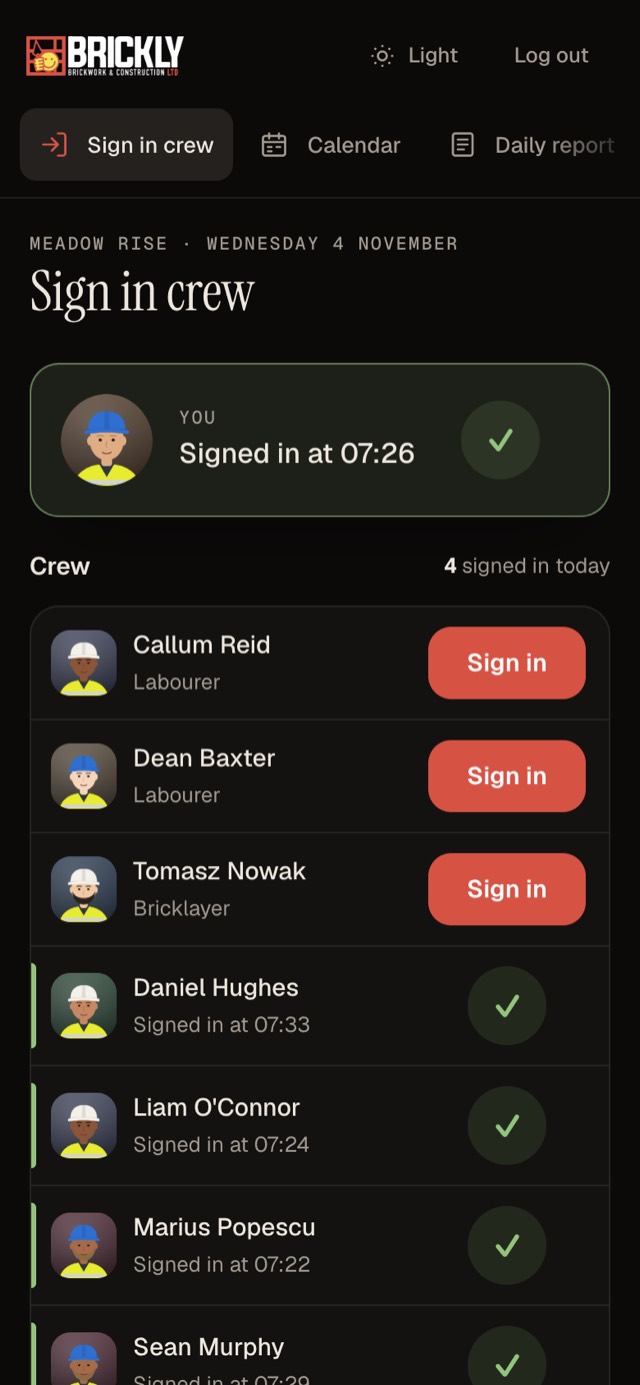
Sign in the crew
Supervisors sign the crew in once a day per site. It works without signal and syncs when the phone reconnects.
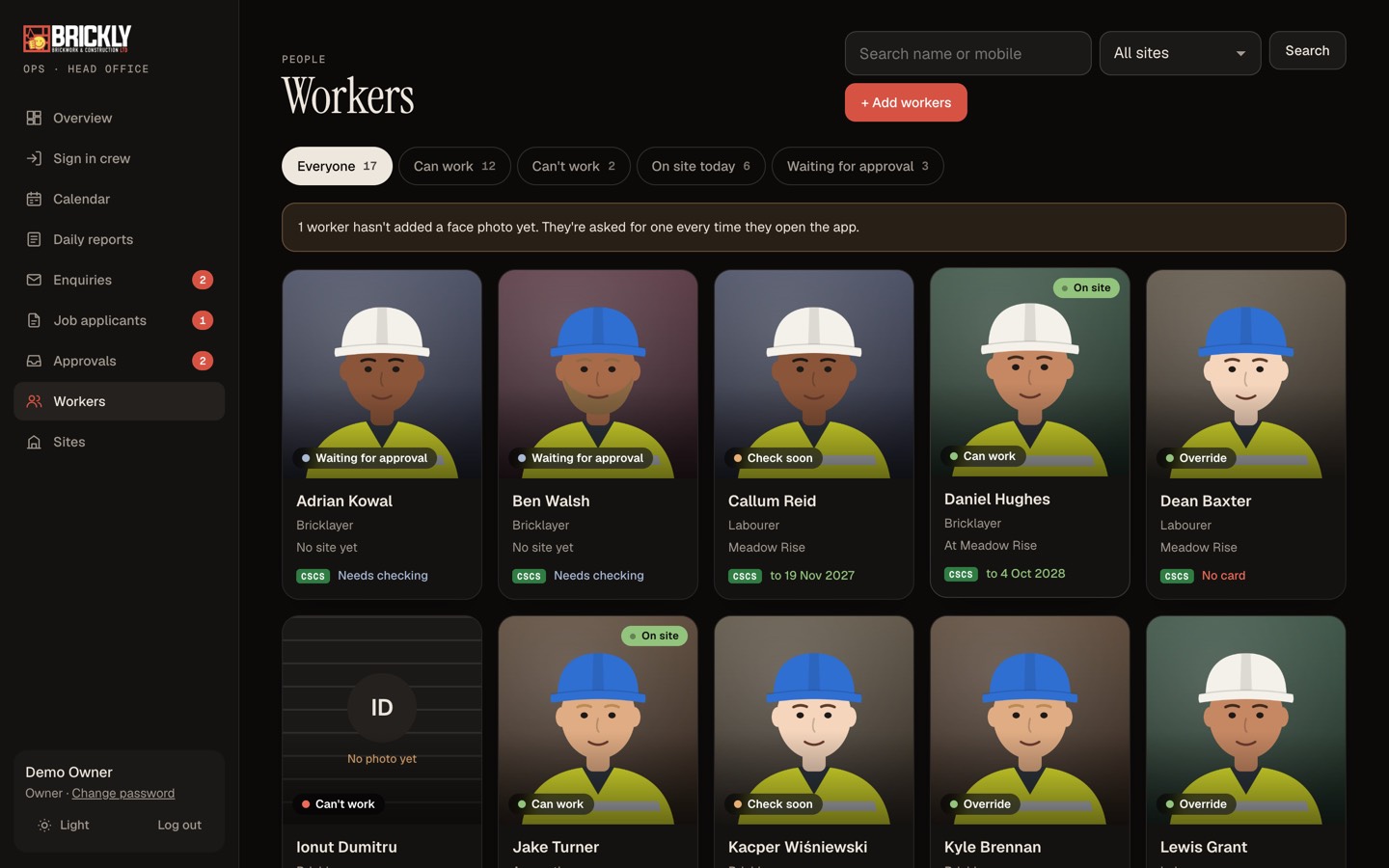
Workers and cards
Every worker with their photo, role, site and CSCS card, filtered by who can work, who is on site and who is waiting.
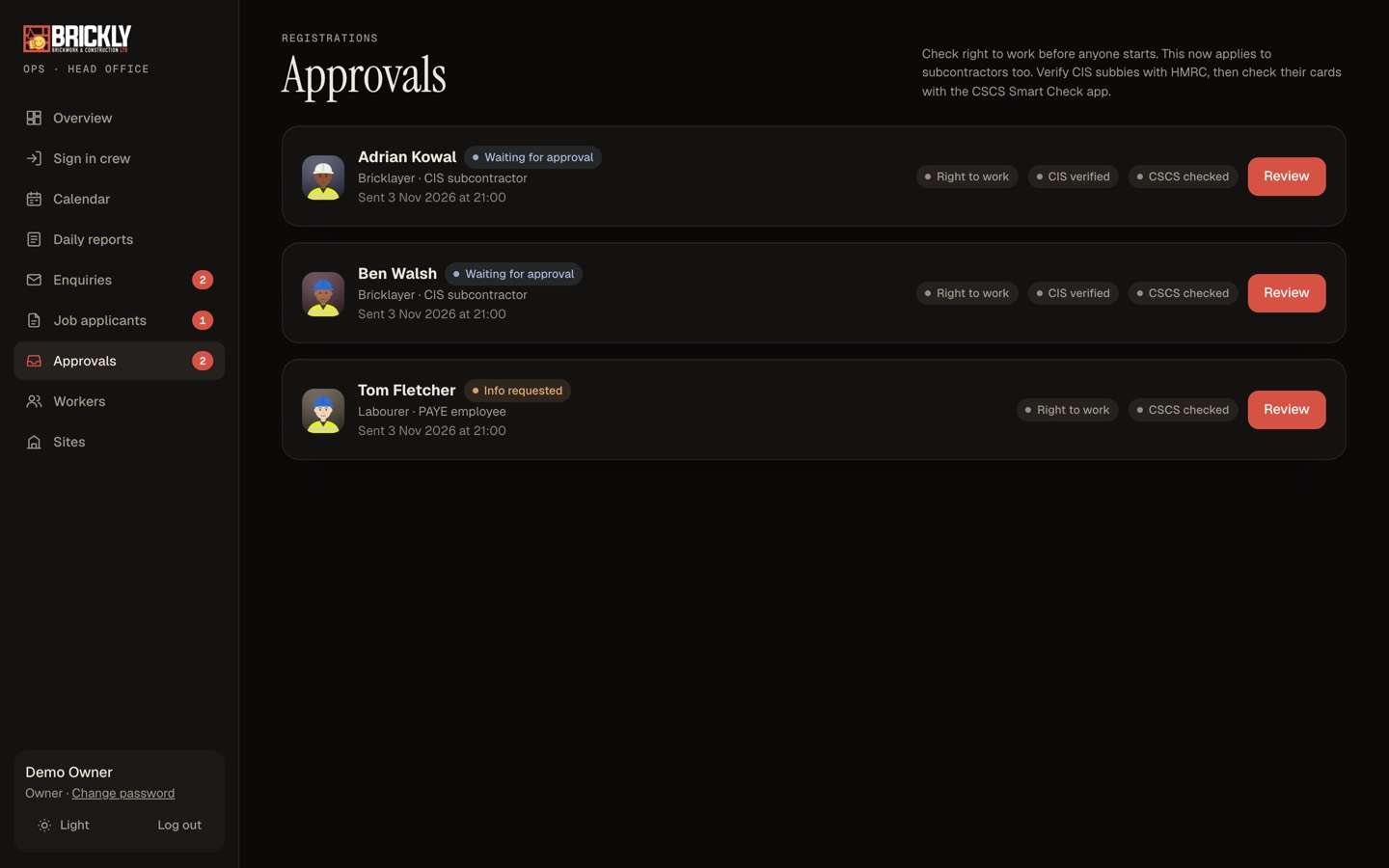
Approvals and checks
New workers register on their phone. The owner records the right to work, CIS and CSCS checks before approving.
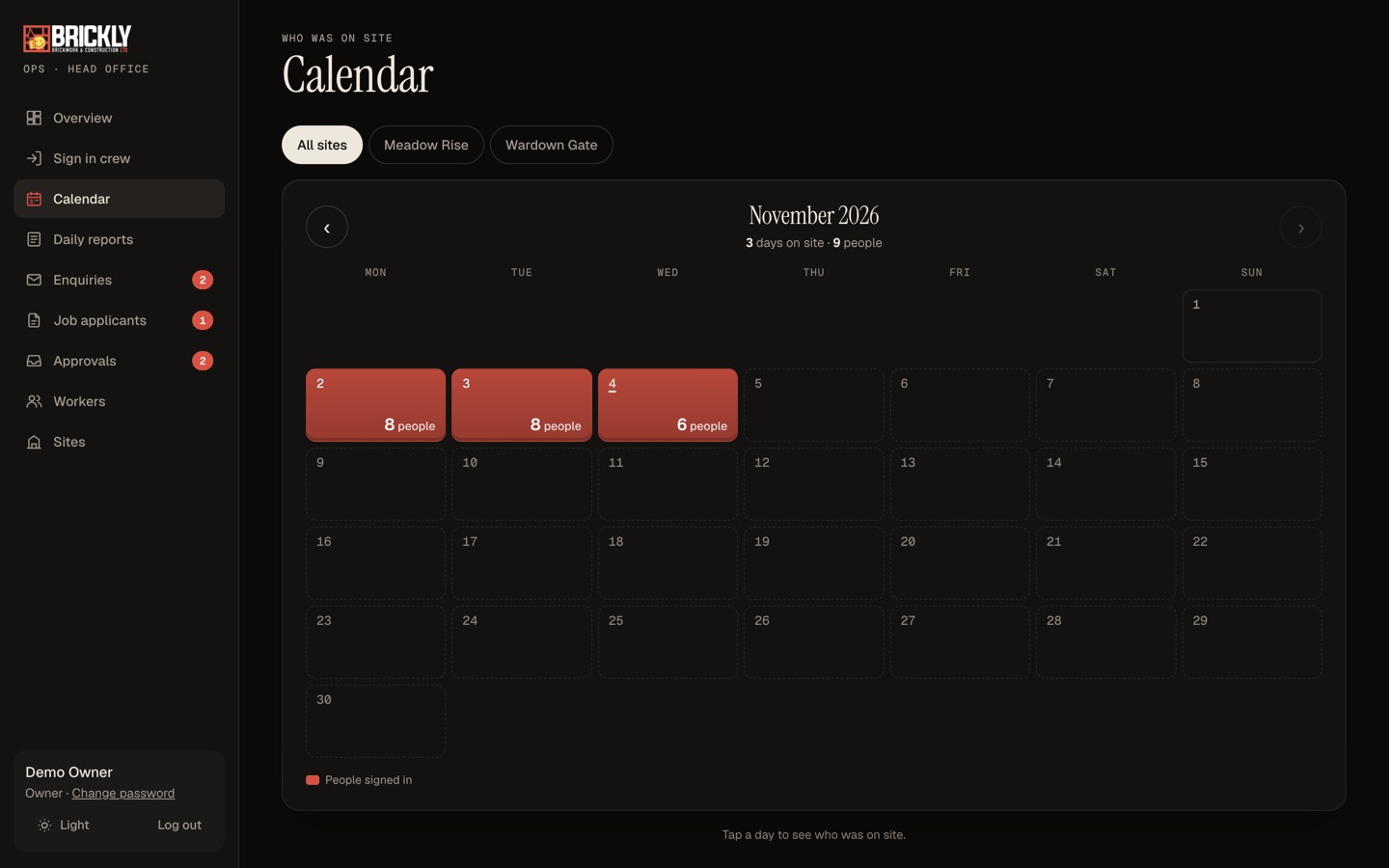
Calendar
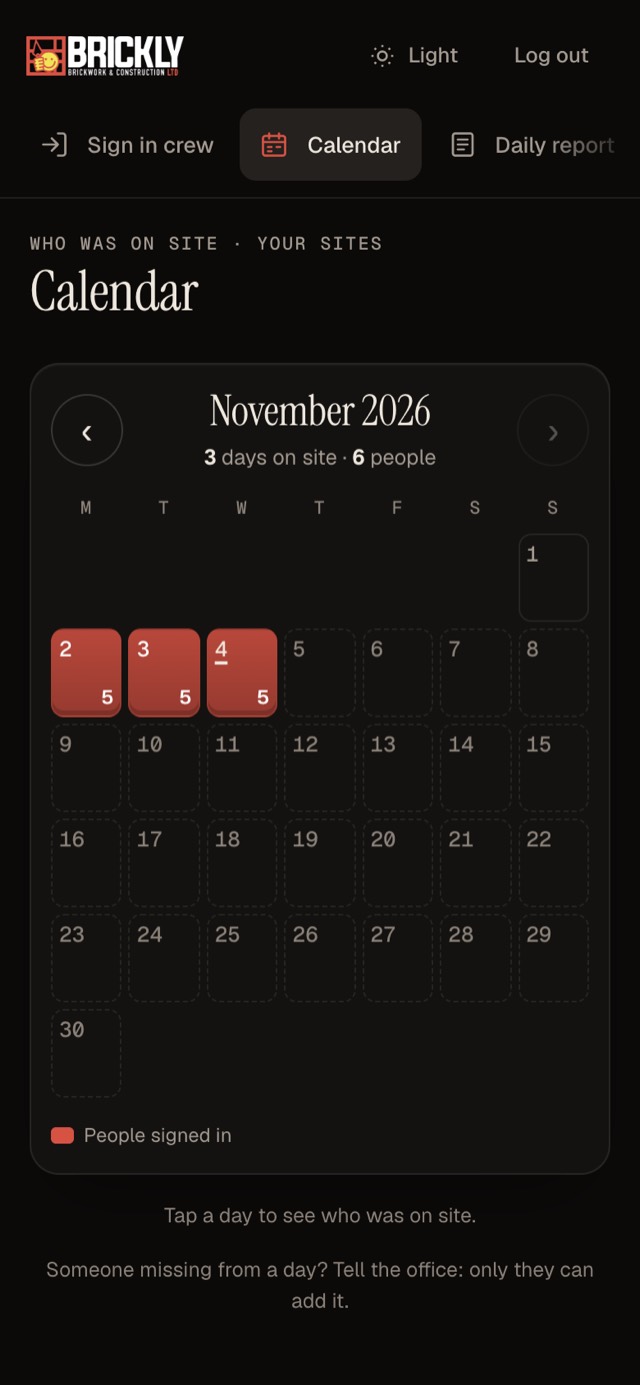
A month view of who was on which site, every day, built from the sign-ins.
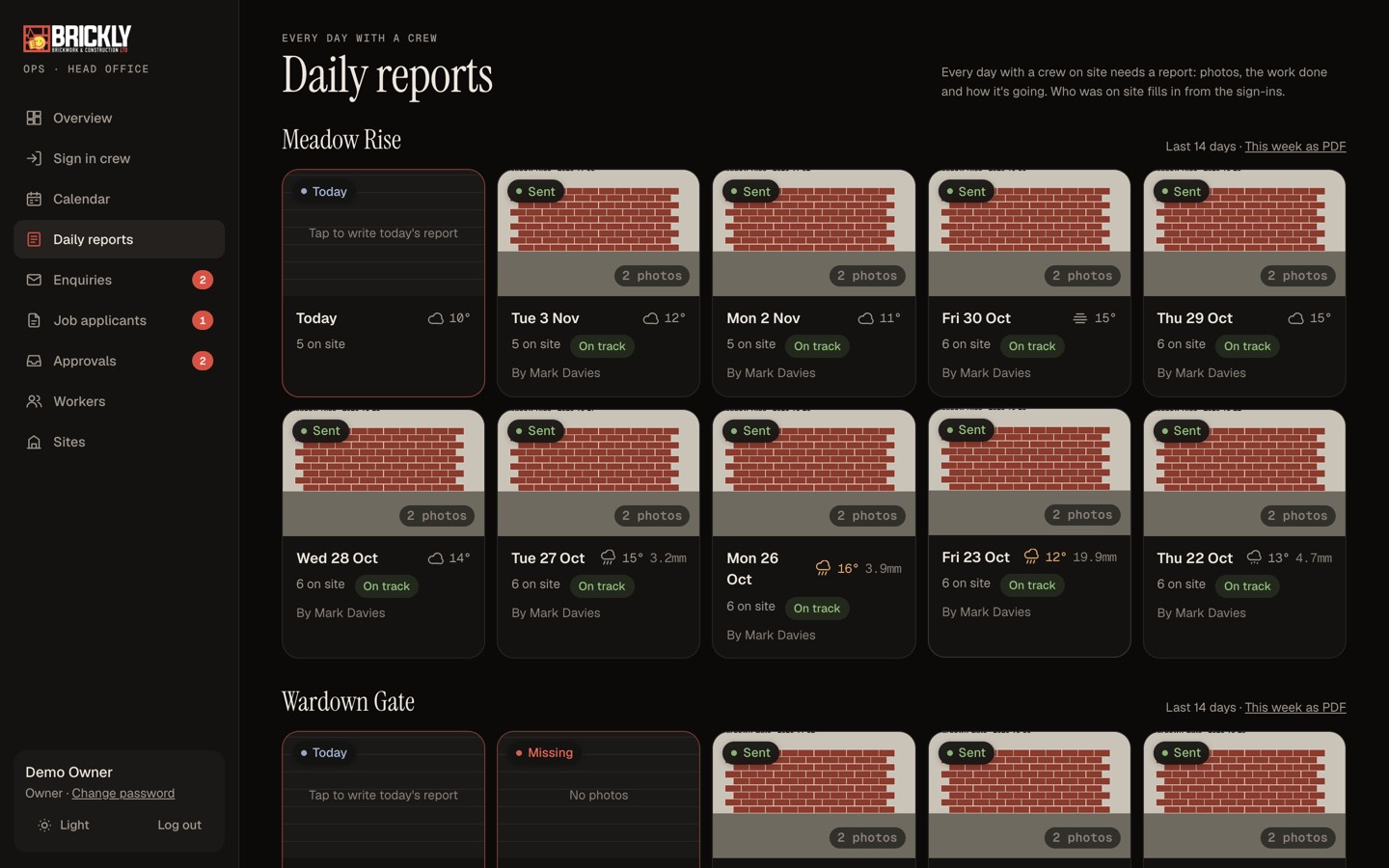
Daily site reports
One report per site per day, with photos, weather, delays and progress, locked once sent.
In their pocket
Built for the phonein their pocket.
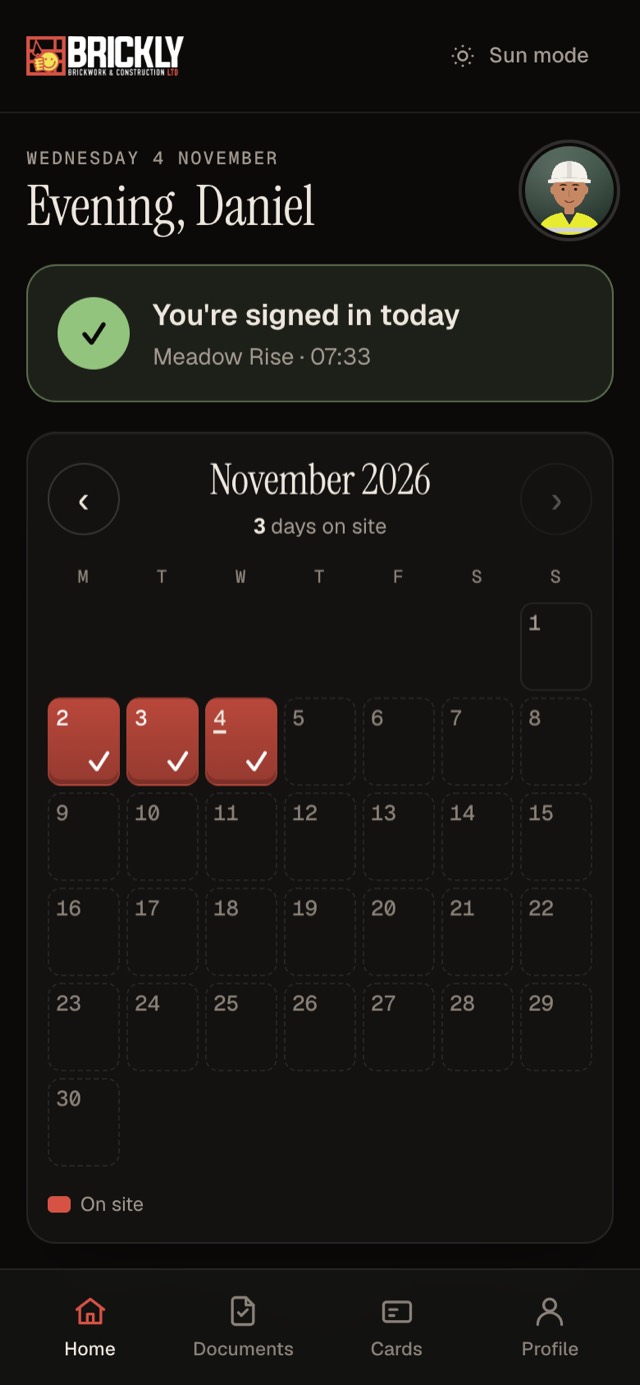
Supervisors run their sites from their phone, and workers see their own days and cards. No app store, nothing to install.
Built properly
Private by design.Not bolted on.
Back offices hold the sensitive side of a business, so the protection lives in the database, not just the screens.
Everyone sees their part
Owners, supervisors and workers each get their own view. Supervisors never see tax or bank details.
Sensitive details encrypted
Things like NI numbers and bank details are encrypted and shown masked until the owner reveals them.
Every change on record
Approvals, edits and sign-ins are written to an audit log, with who did it and why.